Voice over IP in 60 seconds.
Every virtual number runs on Voice over IP: instead of a dedicated circuit holding your voice for the whole call (the old telephone way), your voice is chopped into tiny packets, each labeled with its destination, and fired across the same internet that carries your email. At the far end they’re reassembled, in order, fast enough that you never notice.
Two protocols do the heavy lifting, and keeping them straight unlocks everything else in this guide:
- SIP (Session Initiation Protocol) is the signaling — the language devices use to say “I want to call you,” “ringing,” “they hung up.” Think of it as the postal service’s addressing system.
- RTP (Real-time Transport Protocol) is the media — the actual voice packets flowing both ways once the call is up. That’s the mail itself.
Signaling and media are deliberately separate. A call can be re-routed, put on hold, or transferred by manipulating the SIP signaling while the RTP stream just keeps flowing — which is exactly what makes features like forwarding and hunt groups possible.
SIP registration: your device checks in.
Before your number can receive anything, your device has to tell the platform where it is. Your IP address changes constantly — home Wi-Fi, office network, mobile data — so the platform can’t just remember it. Instead, your app registers, typically once an hour:
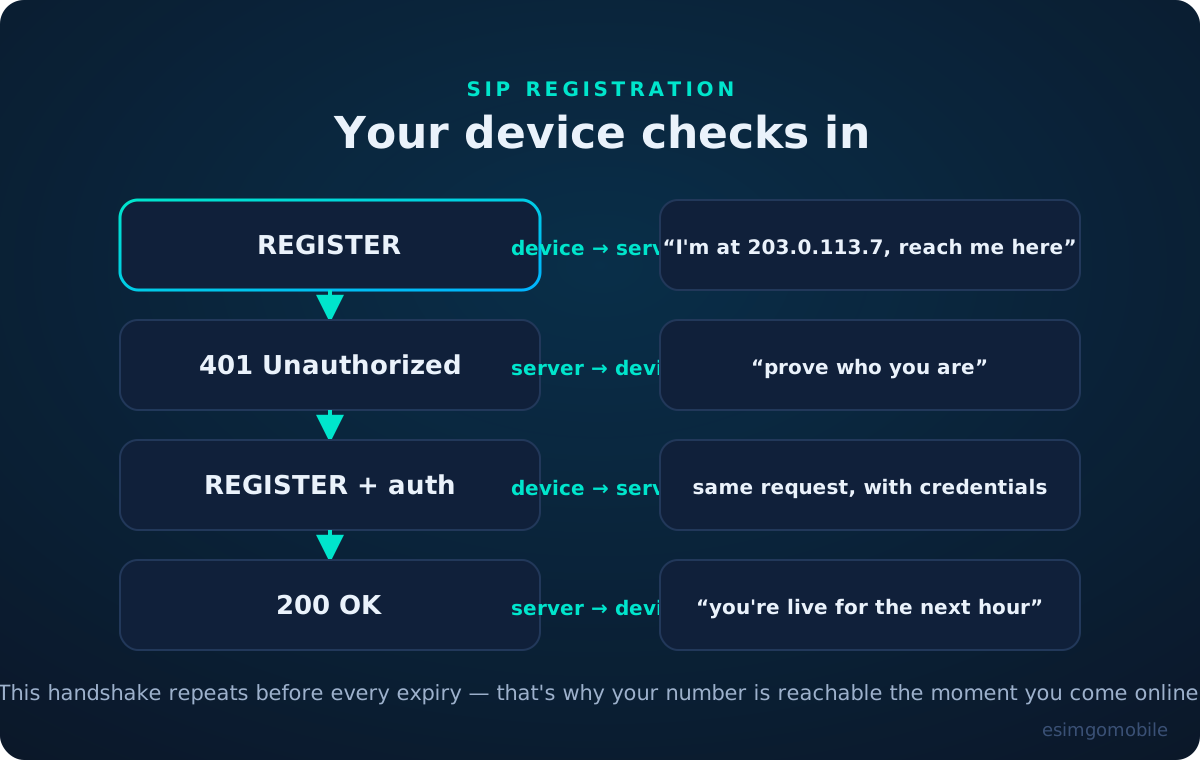
The 401 challenge isn’t an error — it’s digest authentication, the server asking “prove you’re really this subscriber” before it believes the location update. Without it, anyone could register your number to their device. This handshake is the quiet security foundation of the whole system.
Call setup: from INVITE to RTP.
Press “call” and a precise little dance begins. Each message has a job:
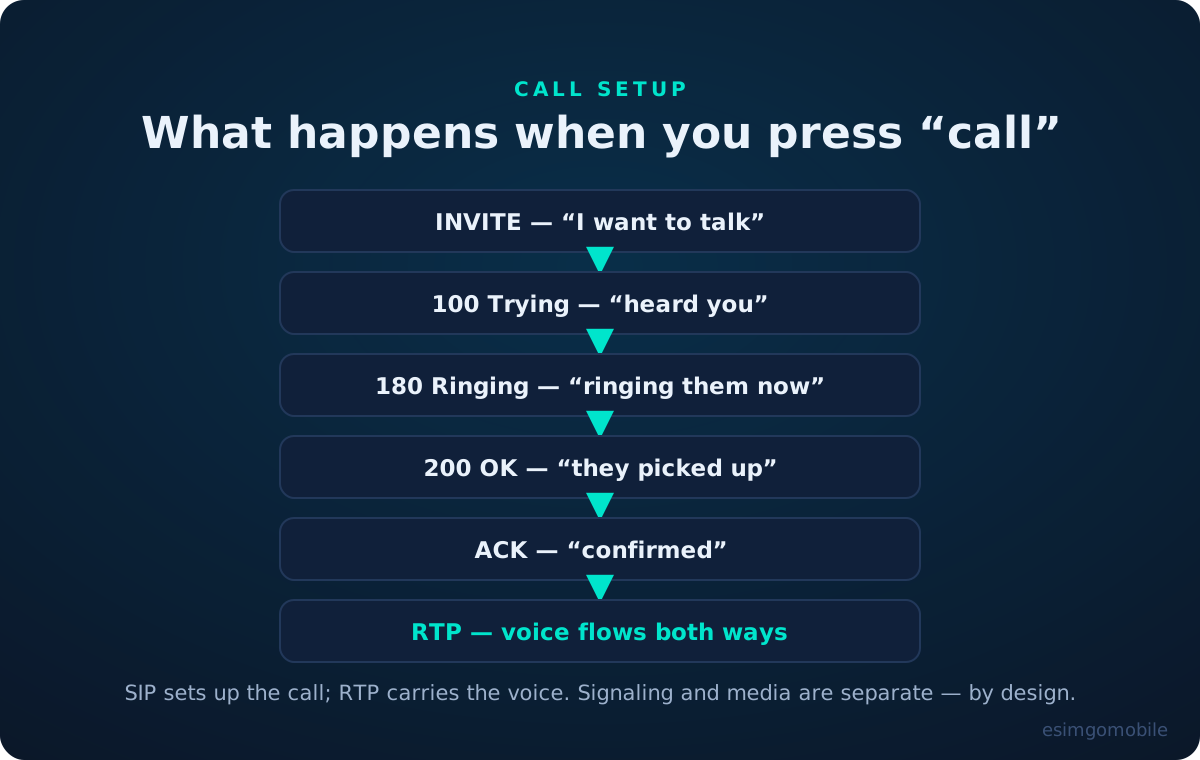
A detail worth knowing: the 180 Ringing you “hear” is generated locally by your phone — the network just sends the message. And the two 200 OK / ACK messages at the end are a handshake confirming both sides agree the call exists, which is why billing starts there, not at the first ring.
Voice becomes packets.
Once the call is up, your microphone’s analog signal is sampled thousands of times per second, compressed by a codec, sliced into ~20-millisecond chunks, and each chunk becomes an RTP packet. The famous codecs:
- G.711 — the old telephone standard, 64 kbps, zero compression, sounds like a phone call because it is the phone-call sound.
- G.729 — 8 kbps, heavily compressed, the workhorse of bandwidth-starved links.
- Opus — the modern open codec, scaling from 6 to 510 kbps, carrying everything from WhatsApp calls to studio audio. This is what “HD voice” usually means.
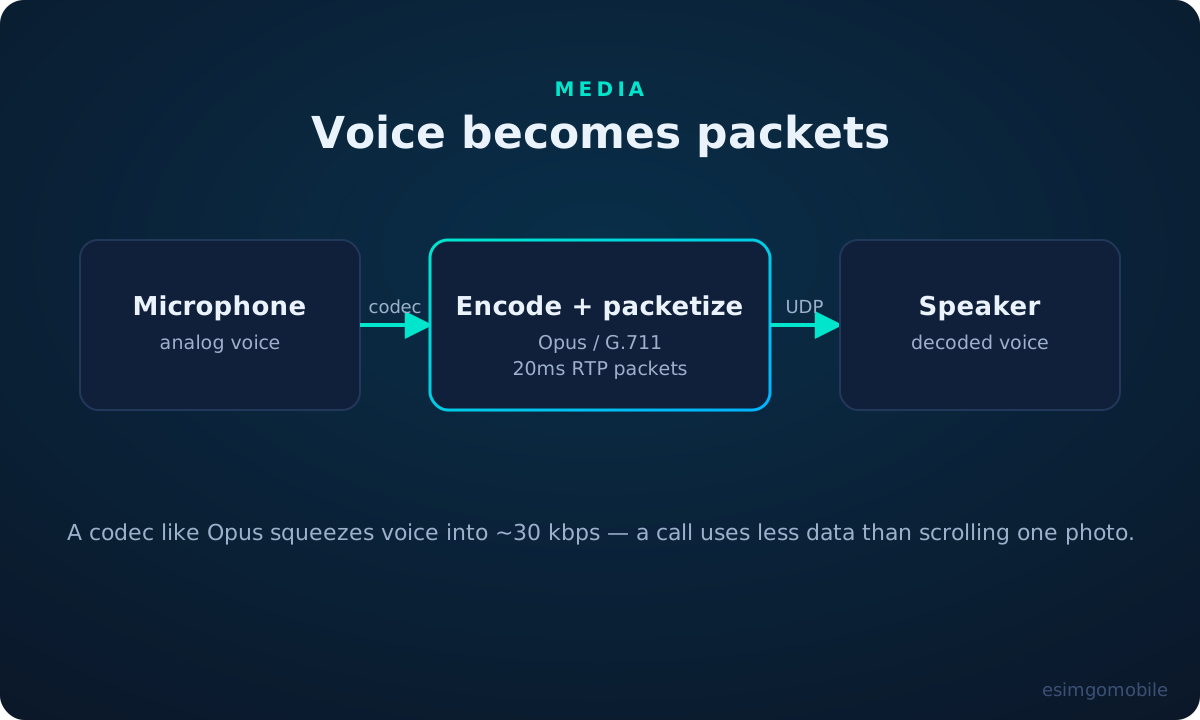
Packets travel over UDP, not TCP — deliberately. TCP retransmits lost packets, which is perfect for files and terrible for live voice: by the time a retransmitted packet arrived, the conversation would have moved on. Better to drop 20 milliseconds of audio (inaudible) than to delay everything (infuriating). The receiving side’s jitter buffer smooths out packets that arrive slightly early or late.
The provisioning chain: how a number gets to you.
Phone numbers are a regulated public resource. National regulators own each country’s numbering plan and allocate blocks to carriers; carriers lease numbers to platforms like esimgomobile; platforms let you pick one and activate it in software. When you “buy” a virtual number, you’re really renting it down this chain — which is why identity verification is part of signup in most countries. The regulator wants to know who holds each number.
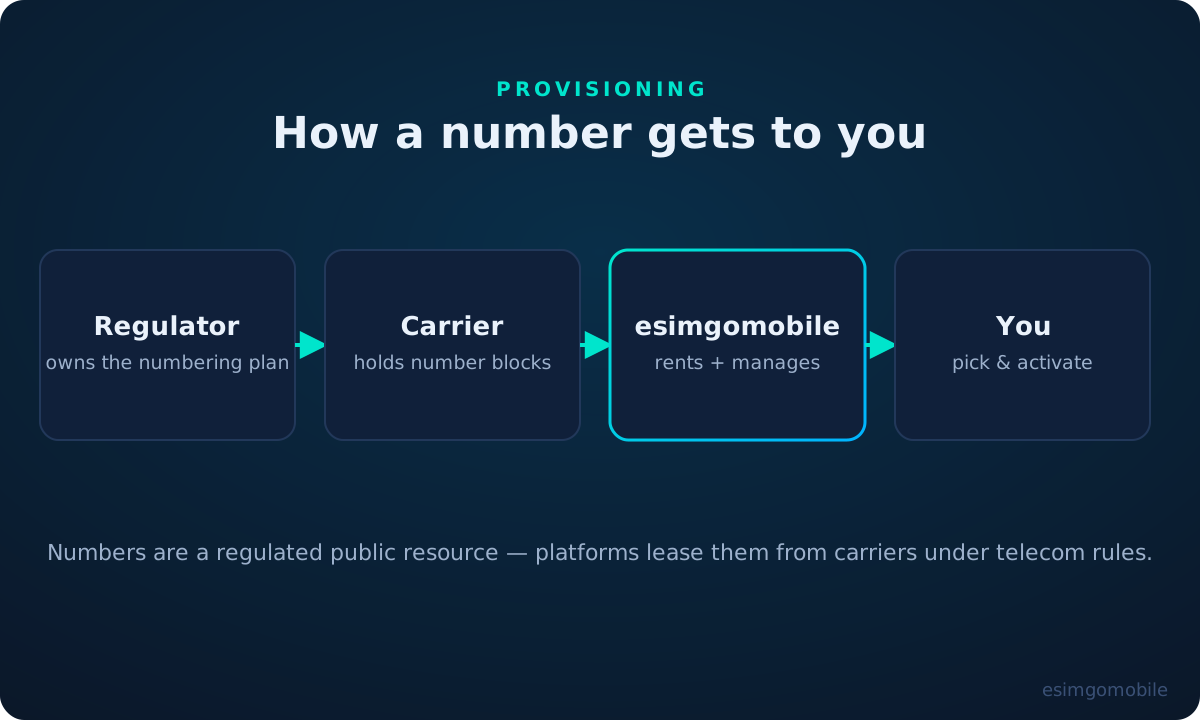
This chain is also why porting works: because numbers are allocated independently of providers, regulation in most countries lets you take yours when you switch. The chain just re-points.
NAT traversal: reaching you behind a router.
Your device almost never has a public IP address — it sits behind a home or office router doing NAT (network address translation), sharing one public address among many devices. Inbound voice packets addressed to your private IP would die at the router. Two protocols solve this:
- STUN lets your device ask “outside, what address do I appear to have?” — then it tells the platform to send media there. Simple, works on most home networks.
- TURN is the fallback: when the network is strict (corporate firewalls, symmetric NAT), a relay server in the cloud receives your media and forwards it. Slightly more latency, always connects.
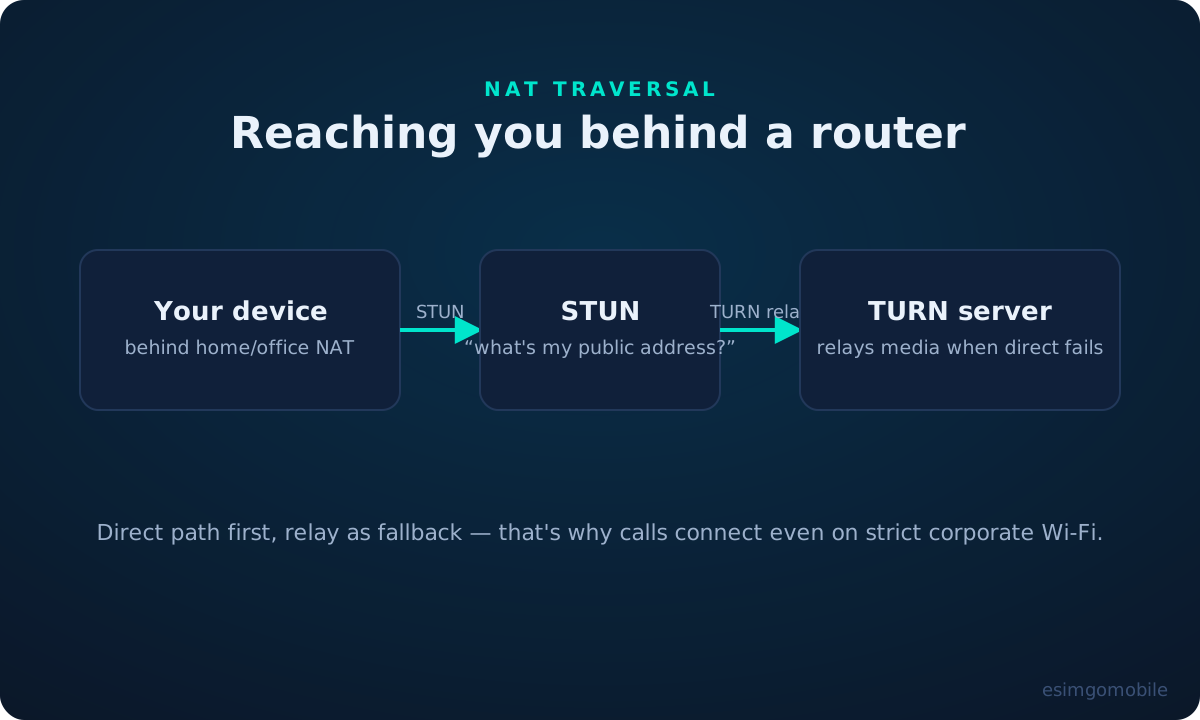
Good clients try direct first and fall back to relay automatically — which is why your calls connect on hotel Wi-Fi that blocks everything except web browsing.
The SMS path: texting without a SIM.
SMS to a virtual number doesn’t travel over SIP at all — it rides the mobile signaling world. Your app sends the message to a messaging API; the provider queues it, splits long texts into segments, and hands it to carriers over SMPP (the protocol SMS centers speak) or direct interconnects. The carrier’s SMS center delivers it to the handset like any other text, and a delivery receipt travels back up the chain.
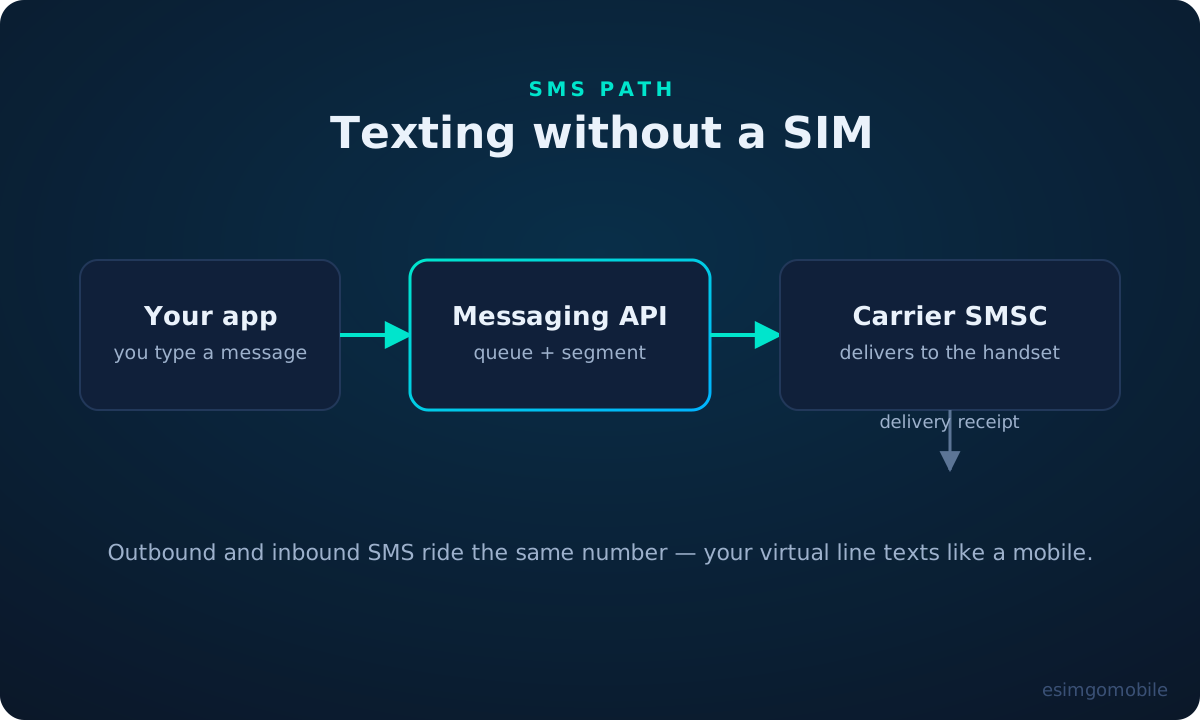
Inbound works in reverse: someone texts your virtual number, the carrier routes it to your provider’s SMS center, and it appears in your app. Same number for voice and text — one identity, two protocols, zero SIM cards.
Going deeper: everything in this guide is an API call on the esimgomobile platform — provisioning, SIP credentials, SMS, routing. Developers can explore the surface at /developers/, and our tools turn each concept into something you can try.
Questions, answered.
What is SIP?
What’s the difference between SIP and VoIP?
Why do calls use UDP instead of TCP?
What is STUN/TURN?
How does SMS work without a SIM?
Do I need to understand any of this to use a virtual number?
Where to go next.
Get your virtual number today.
Virtual numbers are live now — claim yours alongside any eSIM plan.