🛠️
The eSIM Troubleshooting Guide
Fix installation and activation problems yourself.
Read nextHome›Blog›Advanced eSIM guides
Advanced eSIM guidesEvery new technology collects its own folklore, and eSIM is no exception. Is it really safer than a physical SIM? Can someone steal your number by photographing your QR code? Can an eSIM be 'hacked' remotely? This guide separates the eight most persistent myths from how the security actually works — the soldered chip, the authenticated provisioning, and the account-level attacks that remain your real threat.
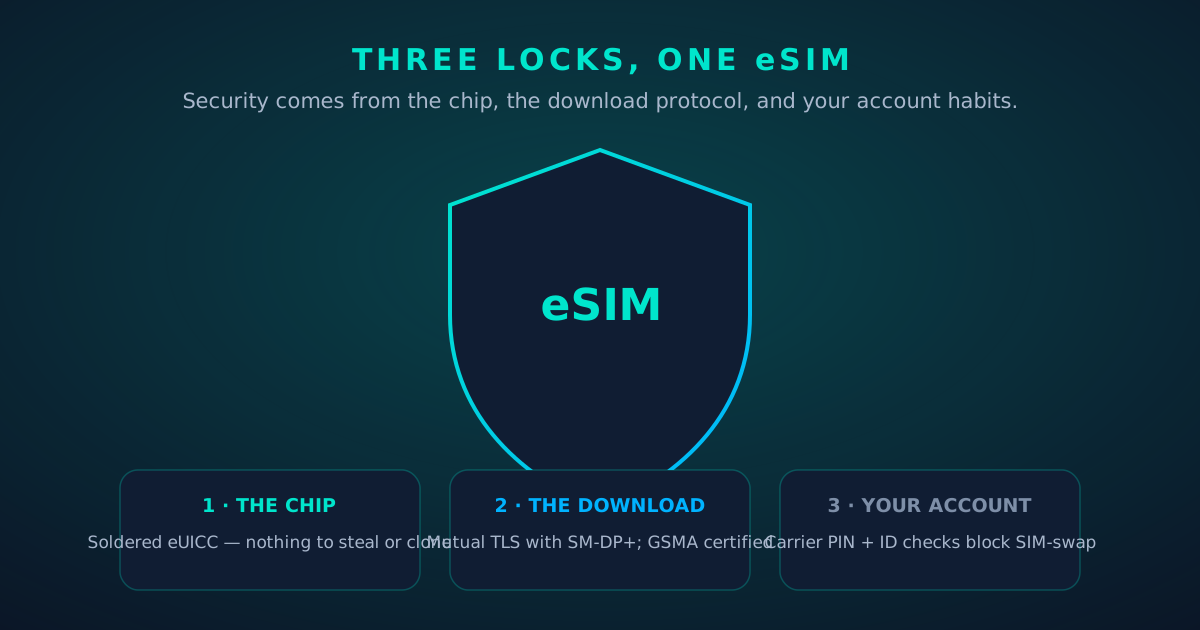
eSIM security rests on three independent layers. Understanding them makes every myth below easy to evaluate:
Keep those layers in mind. Nearly every "eSIM hacked!" story you'll read is a layer-3 story wearing a layer-1 costume.
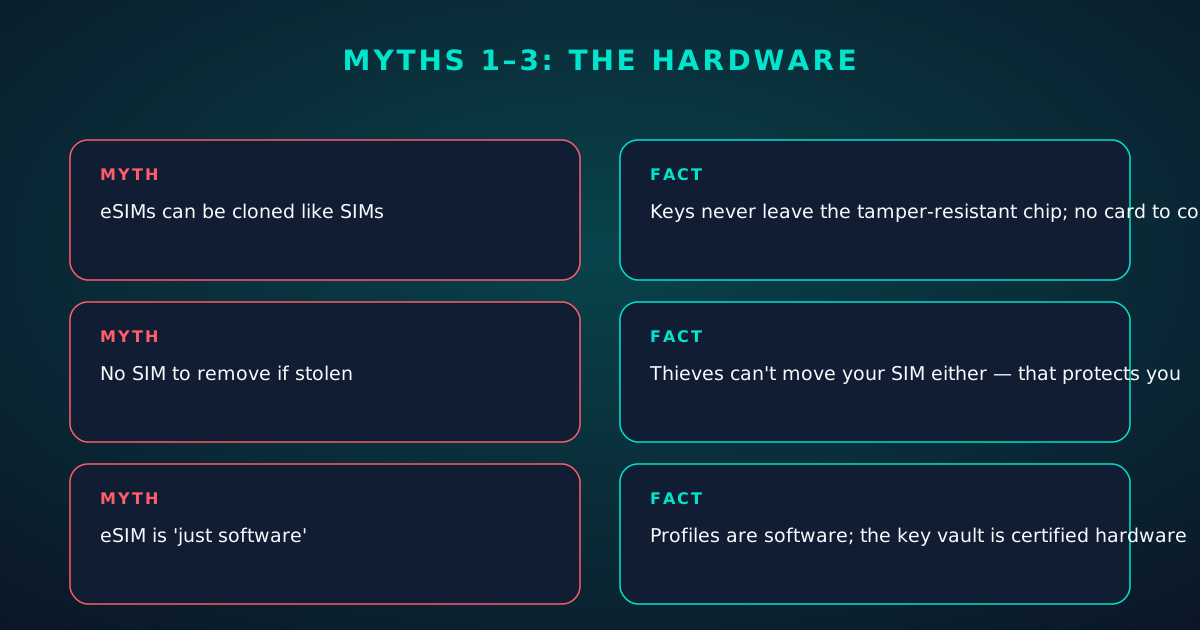
Myth 1: "eSIMs can be cloned just like SIMs."
Fact: Physical SIM cloning required reading the secret key off a removable card — increasingly infeasible on modern cards anyway. An eUICC's keys never leave its tamper-resistant hardware, and there's no card to extract them from. Remote "cloning" of an eSIM isn't a thing; what criminals actually do is social-engineer the carrier into issuing a legitimate profile to their device — which is an account attack, not a cloning attack, and it works against physical SIMs too.
Myth 2: "A soldered chip means I can't remove it if my phone is stolen."
Fact: True — and it's an advantage. A thief can't pop your SIM into another phone to receive your bank codes, which is a genuine attack with physical SIMs. Remote wipe, activation lock and your carrier's lost/stolen block handle the rest. The inability to remove the SIM protects you, not the thief.
Myth 3: "eSIM is less secure because it's 'just software.'"
Fact: The profile is software; the vault holding its keys is hardware — the same secure-element technology banks put in payment cards. "Software" here means the logistics got easier (download instead of shipping plastic), not that the cryptography got weaker. eUICCs are certified under the GSMA's Security Accreditation Scheme, the same regime that audits the servers provisioning them.
Myth 4: "Anyone who photographs my QR code can steal my number."
Fact: Mostly no — with one honest caveat. The QR encodes a server address and a one-time activation code. An attacker who scans it before you do could install your profile on their eSIM-capable phone... but the activation code is single-use and the install binds to the first device that completes it. Once your profile is installed, your QR is a dead letter. The practical advice: install promptly, don't post the QR publicly, and treat the setup email like the credential it is. After installation, the QR is harmless.
Myth 5: "Hackers can push a malicious eSIM to my phone remotely."
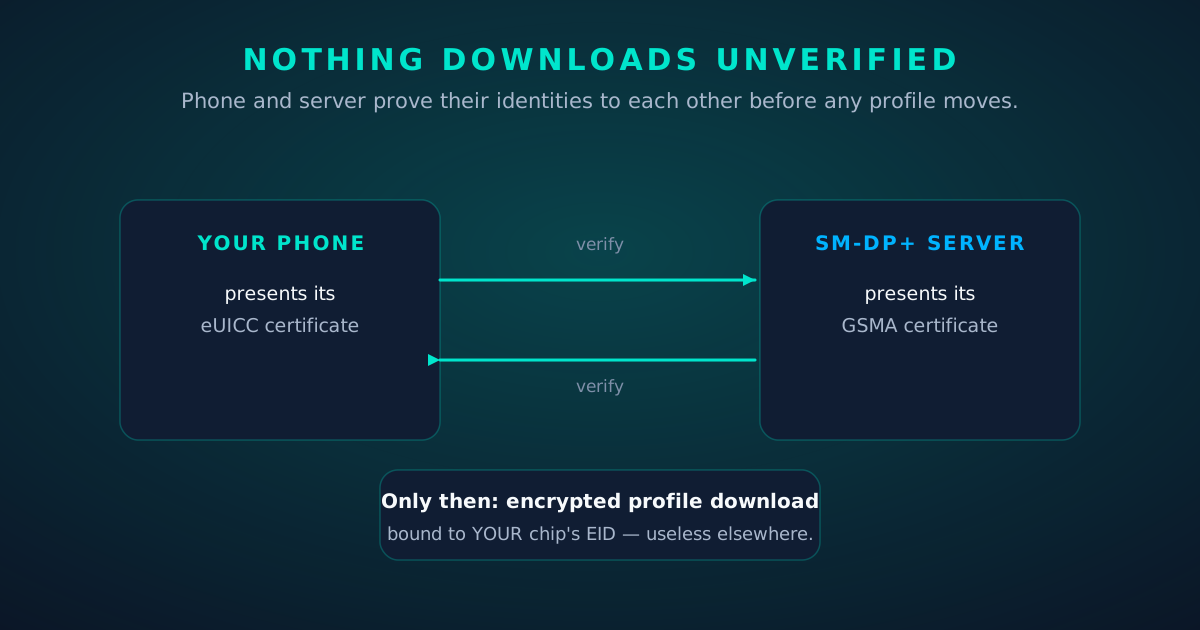
Fact: Installing a profile requires either scanning a QR / entering a code yourself, or your carrier/MDM pushing one — and even carrier-pushed installs are authenticated against GSMA certificates your phone already trusts. There is no drive-by eSIM install from a website, a text message or a Bluetooth connection. Malware on the phone is a far more realistic threat than malicious provisioning, and that's what OS updates and app hygiene defend against.
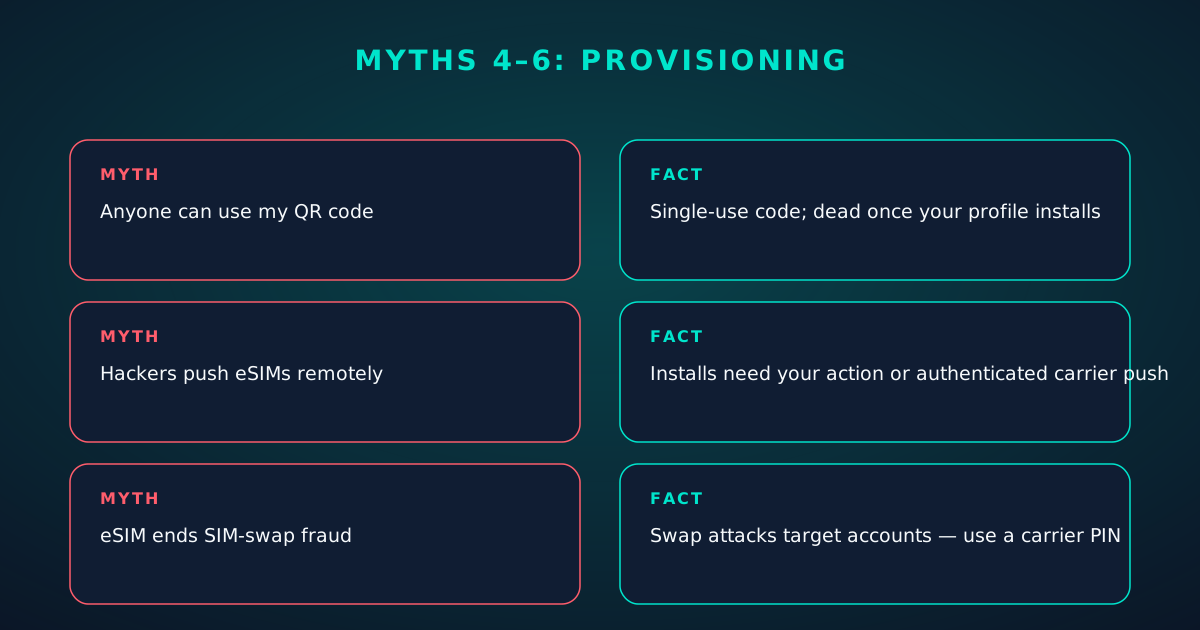
Myth 6: "eSIM kills SIM-swap fraud."
Fact: It raises the bar but doesn't end it. SIM-swap was never about the plastic — it's about convincing (or bribing) carrier staff to move your number to an attacker's SIM. That attack works identically against eSIM: the carrier issues a fresh profile to the attacker's device. eSIM removes physical SIM theft from the attacker's toolkit; the defense that actually matters is at the account layer — a carrier PIN/passcode, in-person or ID-verified changes, and alerts on every SIM change.
Myth 7: "My EID lets anyone track me."
Fact: The EID identifies the chip, not you, and it's only shared with your carrier during provisioning and support. It isn't broadcast to websites, isn't in your HTTP headers, and isn't useful to advertisers. Share it with support freely; don't publish it — not because it's dangerous, but because there's no reason to.
Myth 8: "eSIM profiles live in the cloud where they can be breached."
Fact: Profiles live on your chip. The SM-DP+ server holds encrypted profile packages awaiting download — and a breach of those packages yields encrypted blobs bound to specific EIDs, not usable profiles. The crown jewels (the operator's master keys) live in hardware security modules under GSMA audit. Your attack surface is, again, your account credentials.
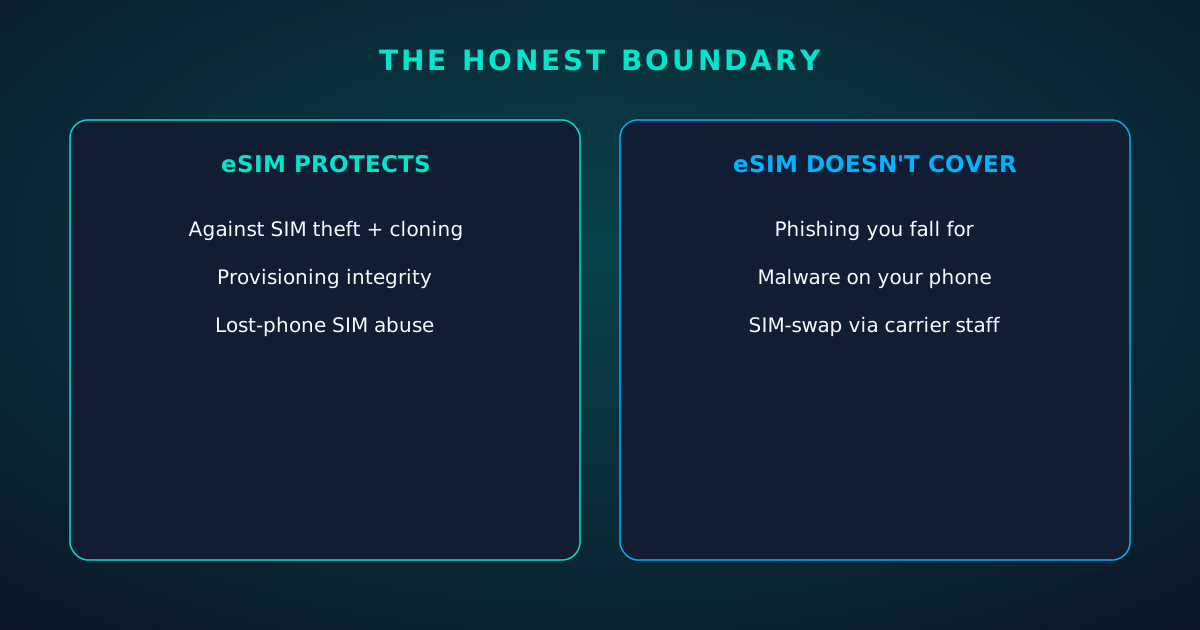
Honesty requires the other side of the ledger. An eSIM does not protect you from:
The pattern: eSIM hardens the device and provisioning layers substantially. Everything above the carrier account remains your responsibility — same as before.
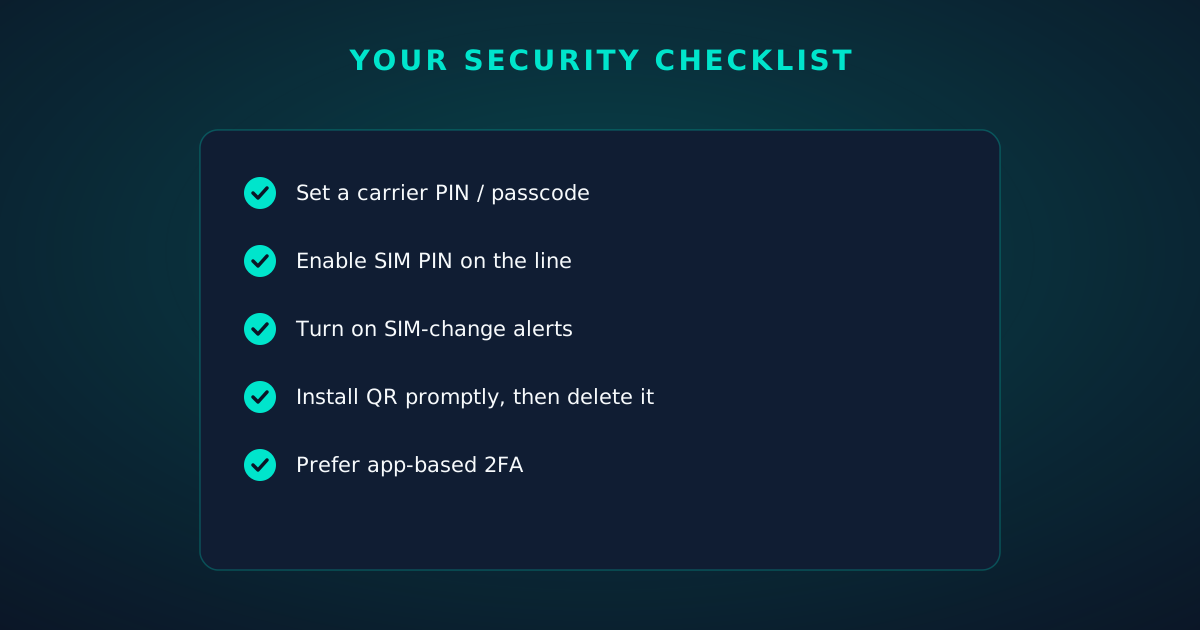
Five habits capture nearly all the practical protection available to you:
Do those five and you're better protected than the vast majority of mobile users — on eSIM or physical SIM alike.
How it works
Every screen below is the real flow: plans, coverage, speed and support, rendered for this page.

curl https://api.esimgomobile.com/v1/esims \
  -H "Authorization: Bearer $KEY" \
  -d '{"country":"ES"}'



















Explainer
Explainer
Reading about eSIM Security: 8 Myths vs Facts is step zero. Step one is a two-minute action: check your phone is unlocked and eSIM-capable, then pick a plan sized to your next trip.
Then run through the travel tips checklist above. Ten minutes of preparation saves hours of airport problem-solving.
Install the eSIM now — it costs nothing to have it sitting on your phone waiting. Activation happens when you say so.
And the Tele Agent will walk through any of this conversationally if you'd rather talk than read.
The tools index turns article advice into instant answers — coverage checks, plan pickers and compatibility checks that take seconds.
Explainer
The data room
eSIM Security: 8 Myths vs Facts — data dashboard
The numbers behind the story, switchable by dataset.
Hover any bar or point for its exact value. Tabs switch datasets — everything on this panel is computed from live product data unless labeled illustrative.
Pick a plan, check out securely, scan the QR code — you're online before you land.